


How to Boost Android Performance Easily
Is your Android device feeling slow, laggy, or just not as responsive as it used to be? You’re not alone. Over time, even the best smartphones can suffer from clutter, bloated apps, and outdated settings. The good news? You don’t need to be a tech expert to fix it.
In this guide, we’ll show you simple, safe, and effective ways to speed up your Android phone—without installing sketchy apps or rooting your device.
⚡ Quick Benefits of Performance Boosting
- Faster app loading times
- Improved battery life
- Reduced crashes and overheating
- Longer device lifespan
1. Restart Your Device Regularly
It may sound basic, but restarting your phone can clear temporary files and free up memory that apps and background services have locked up.
2. Uninstall Unused Apps
Old games, tools you no longer use, or duplicate photo editors can weigh down your system.
- Go to Settings > Apps
- Select the app
- Tap Uninstall
3. Disable or Remove Bloatware
Many Android phones come with pre-installed apps you don’t need.
If you can’t uninstall them, disable them:
- Settings > Apps > [App Name] > Disable
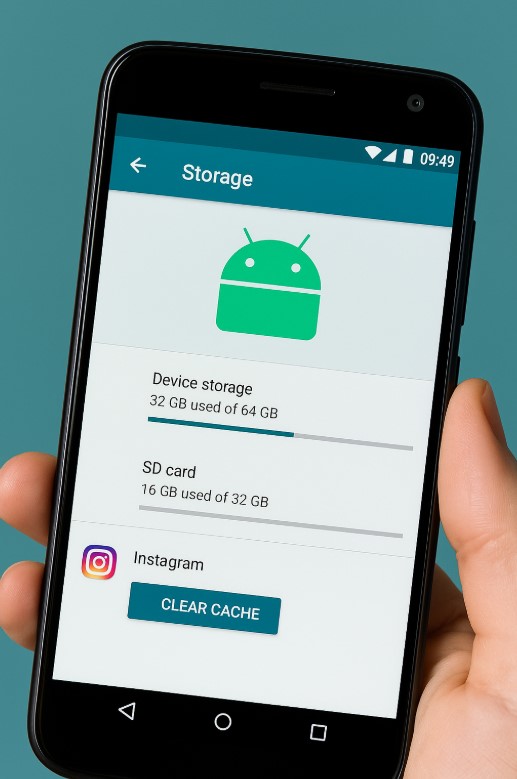
4. Clear Cached Data
Cached data can make apps faster—but over time, it bloats your storage and slows things down.
- Settings > Storage > Cached Data > Clear All
5. Keep Software and Apps Updated
Updates often include performance improvements and bug fixes.
- Check for system updates in Settings > System > Software Update
- Update apps in the Google Play Store
6. Use Lite or Web Versions of Heavy Apps
If apps like Facebook or TikTok are slowing your phone down, try their “Lite” versions or access them via browser.
7. Limit Background Processes
Too many apps running in the background can hog memory and battery.
- Settings > Battery > Background usage limits
- Put non-essential apps to sleep
8. Declutter Your Home Screen
Live wallpapers and excessive widgets consume RAM. Use static wallpapers and minimal widgets for better responsiveness.
Watch: How to Boost Android Performance Easily
9. Enable Developer Options and Reduce Animations
This hidden trick is a favorite among tech-savvy users—and it’s safe to try.
- Go to Settings > About phone
- Tap Build number 7 times to unlock Developer Options
- Go to Settings > System > Developer Options
- Find the animation scale settings (Window, Transition, Animator)
- Change each to 0.5x or Off for faster navigation
Reducing or disabling animations makes your phone feel snappier—especially on older devices.
Common Mistakes to Avoid
- Installing third-party “RAM booster” apps—they usually cause more harm
- Disabling important system services
- Forgetting to back up before making major changes
Final Thoughts
You don’t need a brand-new phone to enjoy smooth performance. With just a few simple tweaks and regular maintenance, your Android device can feel fast and reliable again.
Small actions like clearing cache, uninstalling unused apps, and managing background activity can make a big difference. These changes not only improve speed, but can also help extend battery life and reduce data usage.
Also, stay mindful of what apps you install. Stick to trusted sources like the Google Play Store, and avoid “cleaner” or “optimizer” apps that promise too much—they often slow down your phone more than they help.
Remember: speed isn’t just about hardware—it’s about smart usage and regular tune-ups.
Take control of your device—don’t let lag slow you down.
Bonus Prompt – Ask ChatGPT
Give me a step-by-step Android optimization guide that doesn't require rooting or installing new apps.
Need Personalized Help?
Related:
Boost smarter. Use longer.


